| Filename | Latest commit message | Latest commit date |
|---|---|---|
|
|
||
| .editorconfig | ||
| .pre-commit-config.yaml | ||
| Apprentice.tet | ||
| Atom-Dark.tet | ||
| Ayu-Mirage.tet | ||
| Catppuccin-Frappé.tet | ||
| Catppuccin-Latte.tet | ||
| Catppuccin-Macchiato.tet | ||
| Catppuccin-Mocha.tet | ||
| Darcula.tet | ||
| DevCode.tet | ||
| Dracula.tet | ||
| Everforest-Dark-Hard.tet | ||
| Gruvbox-Dark.tet | ||
| Horizon.tet | ||
| JetBrains-Dark.tet | ||
| Kanagawa-Dragon.tet | ||
| Kanagawa-Wave.tet | ||
| LICENSE.md | ||
| Metro.tet | ||
| Monokai.tet | ||
| Nord.tet | ||
| One-Dark.tet | ||
| One-Monokai.tet | ||
| Quiet-Light.tet | ||
| README.md | ||
| Solarized-Dark.tet | ||
| Solarized-Light.tet | ||
| Squid.tet | ||
| THEMES.md | ||
| Tokyo-Night-Moon.tet | ||
| Tokyo-Night-Night.tet | ||
| Tokyo-Night-Storm.tet | ||
| VS-Code-Dark.tet | ||
| VS-Code-Light.tet | ||
| Xcode-Dark.tet | ||
| Xcode-Light.tet | ||

Godot syntax themes for Godot 4.x
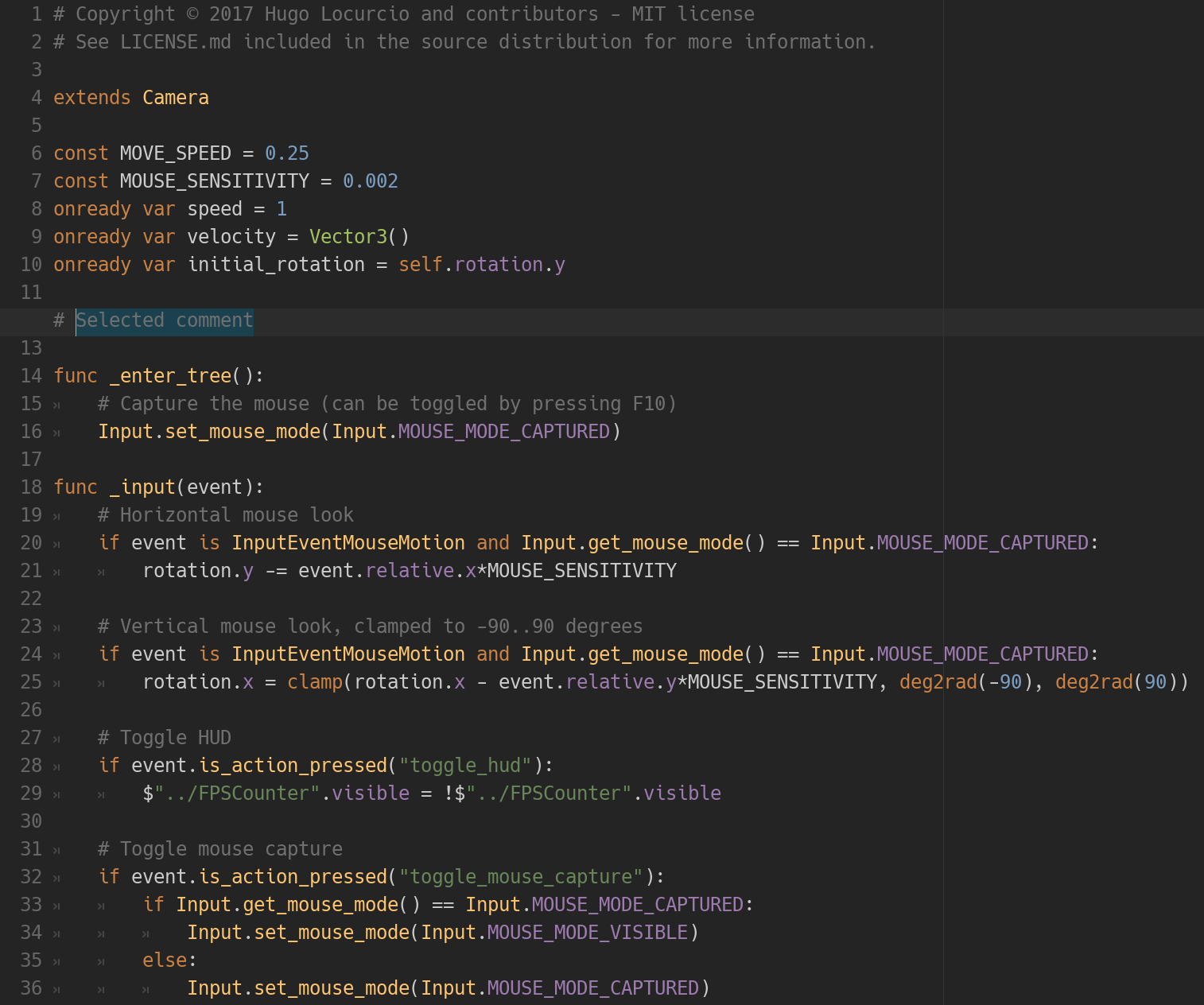
The Darcula theme in action.
This repository contains many syntax themes for Godot, for use in the built-in script editor.
This branch contains themes only compatible with Godot 4.x.
These themes will not display correctly in Godot 3.x.
Browse the 3.x branch
to find themes compatible with Godot 3.x.
Want even more themes? Check out base16-godot for automatically generated themes.
Available themes
See THEMES.md for preview images.
| Dark | Light |
|---|---|
| Apprentice | Catppuccin Latte |
| Atom Dark | Quiet Light |
| Ayu Mirage | Solarized Light |
| Catppuccin Frappé | Visual Studio Code Light |
| Catppuccin Macchiato | Xcode Light |
| Catppuccin Mocha | |
| Darcula | |
| DevCode | |
| Dracula | |
| Gruvbox Dark | |
| Horizon | |
| JetBrains Dark | |
| Kanagawa Dragon | |
| Kanagawa Wave | |
| Metro | |
| Monokai | |
| Nord | |
| One Dark | |
| One Monokai | |
| Solarized Dark | |
| Squid | |
| Visual Studio Code Dark | |
| Xcode Dark |
Installation
Place the .tet files in your Godot text editor theme directory:
- On Linux:
~/.config/godot/text_editor_themes/ - On macOS:
~/Library/Application Support/Godot/text_editor_themes/ - On Windows:
%APPDATA%\Godot\text_editor_themes\ - On Android: check below.
Note: If you installed Godot using Steam, your Godot text editor theme
folder should be placed in steamapps/common/Godot Engine/editor_data/text_editor_themes/
in your Steam installation folder.
To change the theme, open a project in the editor, click on Editor in the top menu, then go to the Editor Settings then Text Editor. You should now be able to choose the desired theme.
Tip: You can clone this Git repository directly into the text editor themes path (if the destination folder does not exist) using the following command:
# On Linux:
git clone https://github.com/godotengine/godot-syntax-themes.git ~/.config/godot/text_editor_themes

# On macOS:
git clone https://github.com/godotengine/godot-syntax-themes.git "~/Library/Application Support/Godot/text_editor_themes"

# On Windows:
git clone https://github.com/godotengine/godot-syntax-themes.git "%APPDATA%\Godot\text_editor_themes"
Android
- Download the desired editor theme file (in
.tetformat). - In the editor's Script tab, go to File > Theme > Import Theme....
- Select the
.tetfile in the dialog.
License
Copyright © 2016-present Hugo Locurcio and contributors
Files in this repository are licensed under CC0 1.0 Universal, see LICENSE.md for more information.